
Back-to-back meetings, overlapping deadlines, and shifting priorities have become the norm for modern business leaders. For operations heads, HR managers, and executives trying to keep teams aligned, manual scheduling often turns into a source of delays and lost productivity. The global appointment scheduling software market is projected to reach USD 1,518.4 million by 2032, highlighting the rising need for smarter scheduling solutions.
This is where automated scheduling comes into play. By utilizing intelligent tools, you can simplify your calendar management, reduce human errors, and create uninterrupted blocks of time for meaningful work. Automated scheduling isn’t just about setting meetings; it’s about optimizing your entire workday so you can focus on what truly matters.
In this blog, you’ll explore what automated scheduling is, how it works, and its benefits, applications, and challenges.
At a Glance:
- Automated scheduling uses AI to manage your calendar, schedule meetings, and optimize tasks automatically, helping you reduce manual effort and errors.
- Features like intelligent time suggestions, task blocking, reminders, and scheduling links help you streamline your daily workflow.
- It supports various industries, helping you and your teams coordinate meetings, appointments, and resources efficiently.
- The benefits include time savings, higher productivity, improved employee satisfaction, and adaptable, data-driven schedules for your workday.
What is Automated Scheduling?
Automated scheduling refers to software that uses artificial intelligence (AI) and machine learning to plan and manage your calendar. It automatically arranges meetings and tasks based on your availability and preferences, removing the need for manual updates.
By understanding your priorities and working patterns, automated scheduling ensures every meeting and task fits easily into your day. You’ll find it particularly useful when multiple teams collaborate, and scheduling complexity grows with company size.
Key Features of Automated Scheduling Tools
Automated scheduling tools come equipped with several features to simplify your workflow. These typically include:
- Calendar Integration: Connect effortlessly with tools like Google Calendar or Outlook to access and update schedules automatically.
- Intelligent Time Suggestions: Use algorithms to identify the best meeting times based on availability and priorities.
- Notifications and Reminders: Keeps you informed of upcoming events and changes, reducing the risk of missed appointments.
- Task Blocking: Create blocks of time for essential tasks or focus work, ensuring productivity is maintained.
- Scheduling Links: Customized links enable easy coordination with external parties, reducing the back-and-forth of finding suitable times.
These features combine to save time, reduce errors, and make your day more predictable and manageable. Next, let’s see how these features work together behind the scenes to streamline your calendar and tasks.
Also Read: Your Ultimate Guide to Scheduling Apps
How Does Automated Scheduling Work?
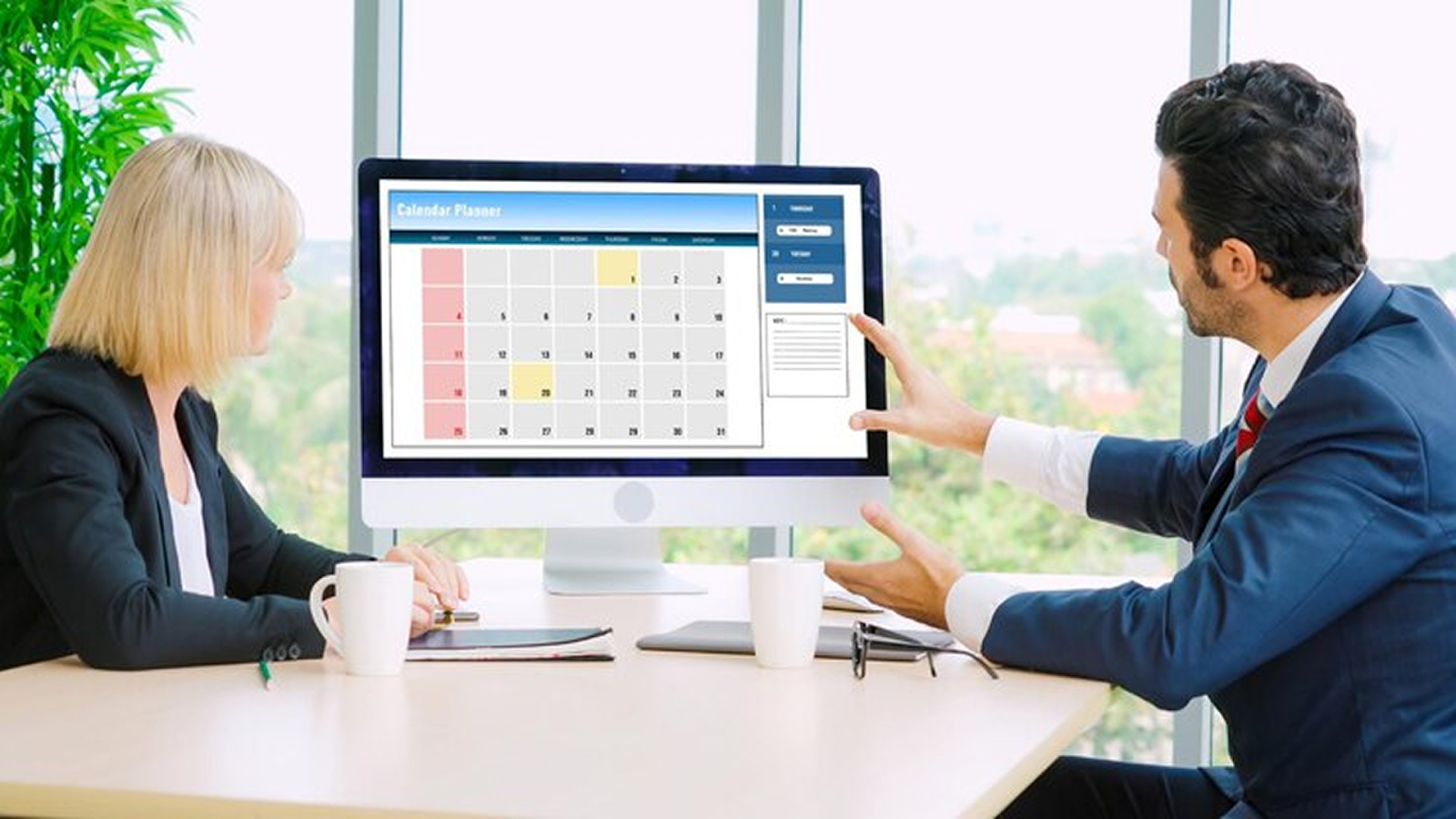
Automated scheduling tools use AI and intelligent algorithms to analyze your calendar, preferences, and availability to streamline the process of booking and managing meetings. Here’s a breakdown of how these tools work:
Step 1: Integration with Existing Calendar Systems
The first step involves connecting the AI scheduling tool to your current calendar applications, such as Google Calendar or Outlook. This integration allows the AI to access your events, understand your availability, and smoothly synchronize new appointments.
Step 2: Analysis of Availability and Preferences
Once integrated, the AI analyzes your calendar to identify open time slots. It also looks at your preferences, like preferred meeting durations, working hours, and buffer times between appointments. This ensures your meetings fit your work habits.
Step 3: Natural Language Processing for Scheduling Requests
AI scheduling tools often utilize NLP to interpret scheduling requests made in everyday language. For instance, if you say, "Schedule a meeting with John next Tuesday afternoon," the AI understands this request and finds an appropriate time slot based on your availability.
Step 4: Conflict Detection and Resolution
The AI continuously monitors your calendar for potential conflicts, such as overlapping meetings or double bookings. When a conflict occurs, it can suggest alternative times or reschedule events automatically, keeping your calendar organized.
Step 5: Automatic Scheduling and Confirmation
After determining the optimal time for a new event, the AI schedules it on your calendar and sends out invitations to all participants. It can also handle follow-up tasks, like sending reminders or rescheduling if needed, so everyone stays informed and prepared.
Step 6: Continuous Learning and Adaptation
Many AI scheduling tools employ machine learning algorithms that learn from your behavior over time. As the AI learns from your past patterns and feedback, it becomes better at predicting your preferences and scheduling your meetings the way you like.
Understanding the process helps you appreciate the different types of automated scheduling solutions available for various needs.
Also Read: How to Create an Employee Work Schedule
Types of Automated Scheduling Solutions

Automated scheduling solutions come in different forms, each designed to meet specific business needs. Common types include:
1. Recurring Scheduling Automation
This automation is ideal for regular, repeating events such as weekly team meetings, monthly reports, or routine check-ins. Once set up, it automatically schedules these events at consistent intervals, saving time and ensuring you never miss important tasks.
2. Trigger-Based Scheduling Automation
Trigger-based scheduling reacts to specific events or conditions. For example, a new client onboarding might automatically trigger a series of meetings, or the completion of a task could prompt a follow-up session. This makes scheduling responsive and aligned with your workflows.
3. Resource-Based Scheduling Automation
Resource-based scheduling focuses on optimizing how you use shared resources such as conference rooms, equipment, or specialist personnel. It assigns time slots based on availability and resource needs, preventing conflicts and maximizing utilization of your resources.
4. Adaptive Scheduling Automation
Using AI and machine learning, this dynamically adjusts schedules based on changing priorities, availability, or deadlines. It learns from patterns in your calendar to recommend the best times for meetings and tasks, helping you stay productive in competitive environments.
By understanding the types of solutions available, you can choose the one that best fits your workflow, team size, and organizational requirements. Next, let’s discuss how to implement automated scheduling effectively within your team.
Also Read: Efficient Meeting Scheduling: Balancing Focus for Productivity
How to Implement Automated Scheduling?

Introducing automated scheduling into your workflow requires a thoughtful approach to ensure maximum benefit. Here’s a step-by-step guide:
Step 1: Assess Your Scheduling Needs
Start by assessing your current scheduling challenges. Consider factors such as frequent double bookings, missed appointments, or inefficient use of time. Knowing these pain points helps you determine which aspects of your scheduling process should be automated.
Step 2: Map Out the Scheduling Process
Document your existing scheduling workflow. Outline how meetings are scheduled, rescheduled, and canceled. Identify key decision points and stakeholders involved. This mapping gives you a foundation for integrating automation effectively.
Step 3: Choose the Right Scheduling Tool
Select a scheduling tool that aligns with your identified needs and works well with your existing systems. Look for features like AI-powered scheduling, calendar integrations, and user-friendly interfaces. Tools like Clockwise offer intelligent scheduling solutions that optimize your calendar management.
Step 4: Set Up Automation Rules and Preferences
Configure your tool to reflect your personal and team preferences. Define preferred meeting times, buffer periods, and priority levels for different meetings. This setup ensures the system operates in sync with your work habits and company goals.
Step 5: Train Your Team
Educate your team on the tool’s capabilities and how to use them efficiently. Offer hands-on sessions and simple guides so everyone feels confident adopting the new system. Ensuring everyone is on board will make the transition to automated scheduling smoother.
Step 6: Monitor and Optimize
After implementation, monitor how well the tool performs. Gather user feedback, review scheduling patterns, and make small adjustments to enhance efficiency. Regular fine-tuning ensures the automation continues to deliver consistent value.
A careful implementation ensures that the automation enhances productivity rather than creating new complexities. Once implemented, these tools provide a range of advantages that transform how you manage time and tasks.
Also Read: 6 practical tips for scheduling meetings more efficiently
Benefits of Automated Scheduling

Automated scheduling offers a wide range of benefits for both individuals and teams. Here are some of the key advantages:
- Time Efficiency: Automated scheduling tools drastically cut down the time spent coordinating meetings. By analyzing calendars and preferences, they quickly find the best slots, letting you focus on higher-value work.
- Cost Savings: Minimizing scheduling conflicts and optimizing resources helps reduce administrative workload and unnecessary overtime, saving both time and money.
- Enhanced Productivity: Fewer conflicts and more uninterrupted work periods let employees concentrate on deep work. This increases overall productivity and helps teams meet goals faster.
- Improved Employee Satisfaction: Automated schedules make assignments transparent and consistent, giving employees predictability. This improves work-life balance and boosts engagement and retention.
- Scalability: As your team grows, scheduling complexity increases. Automated tools scale effortlessly, managing larger teams and more tasks without adding administrative burden.
- Data-Driven Insights: These tools gather scheduling data over time, revealing patterns and trends. You can use these insights to make smarter decisions and continuously improve operations.
- Compliance Management: Automated systems can be set up to follow labor laws and company policies, such as maximum work hours and mandatory breaks, helping reduce compliance risks.
- Flexibility and Adaptability: Schedules can adjust automatically for absences, urgent tasks, or unexpected changes. The system ensures that work continues smoothly without manual intervention.
The combination of these benefits makes automated scheduling an essential tool in today’s busy workplaces, allowing teams to work smarter rather than harder.
In the next section, let’s examine where automated scheduling is making the biggest impact across industries.
Applications of Automated Scheduling

Automated scheduling can be applied across various industries and organizational functions. Here’s how it works in different contexts:
- Corporate Meetings: Automated scheduling simplifies how you organize internal discussions, client meetings, and project check-ins. It eliminates long email threads, avoids conflicts, and helps you find the best times without disrupting your focus hours.
- Healthcare Appointments: In healthcare, scheduling tools help you manage patient visits, staff shifts, and telemedicine sessions. By automating appointments and reminders, clinics and hospitals can reduce missed visits, improve patient satisfaction, and optimize staff availability.
- Education and Academia: These tools make it easier to plan classes, organize advising sessions, and coordinate faculty meetings. Automation ensures smooth collaboration among students, teachers, and administrators while minimizing overlaps.
- Sales and Customer Support: Automated scheduling helps sales and support teams manage client interactions and follow-ups more efficiently. By syncing calendars automatically, teams engage faster, close deals sooner, and deliver timely service.
- Remote Teams: For distributed teams across time zones, automation ensures fair scheduling and efficient coordination. The system suggests suitable meeting slots for all participants, preserving focus time and preventing burnout.
While the applications are wide-ranging, it’s important to be aware of potential challenges and how to overcome them.
Challenges of Automated Scheduling
While automated scheduling brings many benefits, it also comes with a few challenges you should be aware of:
- Initial Setup Complexity: Integrating multiple calendars and customizing preferences may take effort initially, but careful configuration ensures easier scheduling later.
- User Adoption Resistance: Teams may be hesitant to shift from traditional scheduling methods. You can address this with proper training and clear communication for smooth adoption.
- Limited Customization: Some tools may not fully accommodate unique workflows or complex scheduling needs, so you might need to make manual adjustments in certain scenarios.
- Dependence on Accurate Data: For best results, calendars must remain updated. Missing or incorrect entries can cause scheduling errors or conflicts.
- Security and Privacy Concerns: Calendar data often contains sensitive information. You must ensure that your scheduling platform has strict security measures to protect this information.
Addressing these challenges requires careful planning, team training, and selecting a reliable platform that aligns with your business needs.
How Clockwise Can Simplify Your Scheduling?
Clockwise offers an intelligent solution that goes beyond simple scheduling. By combining AI-driven tools like Prism, Flexible Holds, Focus Time, and Flexible Meetings, Clockwise ensures your calendar works for you.
- AI-Powered Scheduling: Clockwise analyzes your calendar and preferences to suggest optimal meeting times, reducing the back-and-forth of scheduling. It considers factors like focus time, preferred working hours, and team availability to find the best slots for everyone involved.
- Focus Time Protection: By automatically rearranging meetings, Clockwise ensures you have uninterrupted blocks of time for deep work. It can even auto-decline meetings that overlap with your protected Focus Time, helping you maintain productivity without manual intervention.
- Flexible Holds: Clockwise allows you to create time blocks for routine tasks that don't require specific timing. These holds are automatically adjusted as your schedule changes, ensuring essential tasks like report writing or team check-ins aren't overlooked.
- Scheduling Links: With Clockwise Scheduling Links, you can share your availability with others, allowing them to book time with you without the usual back-and-forth. The AI ensures that the selected times align with your preferences and existing commitments.
- Real-Time Adjustments: Clockwise continuously monitors your calendar and makes real-time adjustments to accommodate new meetings, travel time, or unexpected changes. This dynamic scheduling helps you stay on top of your commitments without manual updates.
- Team Coordination: For organizations, Clockwise offers features like team availability calendars and no-meeting days, promoting alignment and reducing scheduling conflicts across teams.
By integrating Clockwise into your workflow, you can reclaim valuable time, reduce scheduling stress, and enhance overall productivity.
Conclusion
Automated scheduling has become a necessity in modern workplaces where time is the most valuable resource. By reducing manual effort, minimizing errors, and creating structured, focused workdays, automated scheduling empowers you and your team to achieve more in less time.
Implementing tools like Clockwise allows you to harness AI-powered scheduling capabilities, create smooth collaboration, and streamline operations effortlessly. By embracing automated scheduling, you can regain control over your time, reduce stress, and focus on tasks that drive meaningful results.
Book a demo with us today and experience how intelligent scheduling can transform the way you work.
FAQs
1. How to make an automated schedule?
Start by defining tasks, deadlines, and priorities. Use an automated scheduling tool to set recurring events, allocate resources, and send reminders. Review and adjust the schedule regularly to ensure efficiency and alignment with team availability and business goals.
2. What is the difference between scheduled and automated?
A scheduled task is manually planned and requires human input to manage or adjust. Automated scheduling uses software to plan, update, and execute tasks without manual intervention, reducing errors, saving time, and ensuring consistency across workflows.
3. How secure is the data managed by automated scheduling systems?
Modern automated scheduling systems use encryption, secure cloud storage, and access controls to protect sensitive data. Compliance with industry standards like GDPR or SOC 2 further ensures that employee and business information remains safe from unauthorized access or breaches.
4. How does automated scheduling integrate with other business systems like payroll or HR software?
Automated scheduling systems often offer APIs or native integrations with payroll, HR, and project management tools. This ensures real-time updates, accurate attendance tracking, and smooth workflow automation, reducing administrative effort and minimizing errors in employee management.
5. What trends are shaping the future of automated scheduling?
Key trends include AI-driven predictive scheduling, real-time availability updates, integration with multiple business platforms, mobile-first interfaces, and data analytics for performance insights. These innovations enhance efficiency, employee satisfaction, and decision-making across organizations.
About the author

Kacy is the VP of Marketing at Clockwise, where she's spent the last three years helping companies transform their approach to time management and team productivity. As a working mother of two, she brings both professional insight and personal experience to conversations about maximizing precious time. Kacy draws inspiration from thought leaders like Cal Newport, Jake Knapp, and Cassie Holmes, applying their principles to help modern teams work smarter. When she's not nerding out on calendar management techniques, you can find her striving to create balance and intentionality in her own life, both at home and in the office.
.gif)
.png)